How to Optimize Images for Web: A Complete Guide
In today’s fast-paced digital world, web performance is critical. Slow-loading websites can frustrate users, hurt your search engine rankings, and even lead to lost revenue. One of the most common culprits of slow websites? Unoptimized images. Large, high-resolution images might look stunning, but they can drastically slow down your site. The good news is that optimizing images for the web doesn’t have to be complicated. In this guide, we’ll walk you through everything you need to know about image optimization, including how to compress images, choose the right file format, and maintain quality while boosting web performance.
What Is Image Optimization?
Image optimization is the process of reducing the file size of images without significantly compromising their quality. The goal is to strike a balance between visual appeal and fast loading times. By optimizing images, you can improve your site’s performance, enhance user experience, and even reduce bandwidth costs. Whether you’re running a blog, an e-commerce store, or a portfolio website, optimizing images is a must.
Why Is Image Optimization Important for Web Performance?
Images often account for the majority of a webpage’s size. According to recent studies, images make up approximately 50% of the total page weight for most websites. If these images aren’t optimized, they can slow down your site, leading to:
- Higher bounce rates: Users are more likely to leave a site that takes too long to load.
- Lower search engine rankings: Search engines like Google prioritize fast-loading websites.
- Increased bandwidth usage: Larger image files consume more bandwidth, which can be costly for both you and your users.
By optimizing your images, you can avoid these issues and create a smoother, faster experience for your visitors.
How to Optimize Images for the Web
Optimizing images involves several steps, from choosing the right file format to compressing images effectively. Here’s a step-by-step guide to help you get started:
1. Choose the Right File Format
The file format you choose can have a significant impact on image quality and file size. Here’s a quick breakdown of the most common formats:
- JPEG: Best for photographs and detailed images. Offers a good balance between quality and file size.
- PNG: Ideal for images with transparency or simple graphics. PNG files are typically larger than JPEGs.
- WebP: A modern format that provides superior compression and quality compared to JPEG and PNG. Supported by most modern browsers.
- GIF: Used for simple animations. Not recommended for static images due to larger file sizes.
Choosing the right format for your image can make a big difference in web performance.
2. Compress Images
Compressing images reduces their file size without significantly affecting their visual quality. There are two types of compression:
- Lossy Compression: Reduces file size by removing some image data. This can result in a slight loss of quality but is often unnoticeable.
- Lossless Compression: Reduces file size without losing any image data. Ideal for images that require high quality.
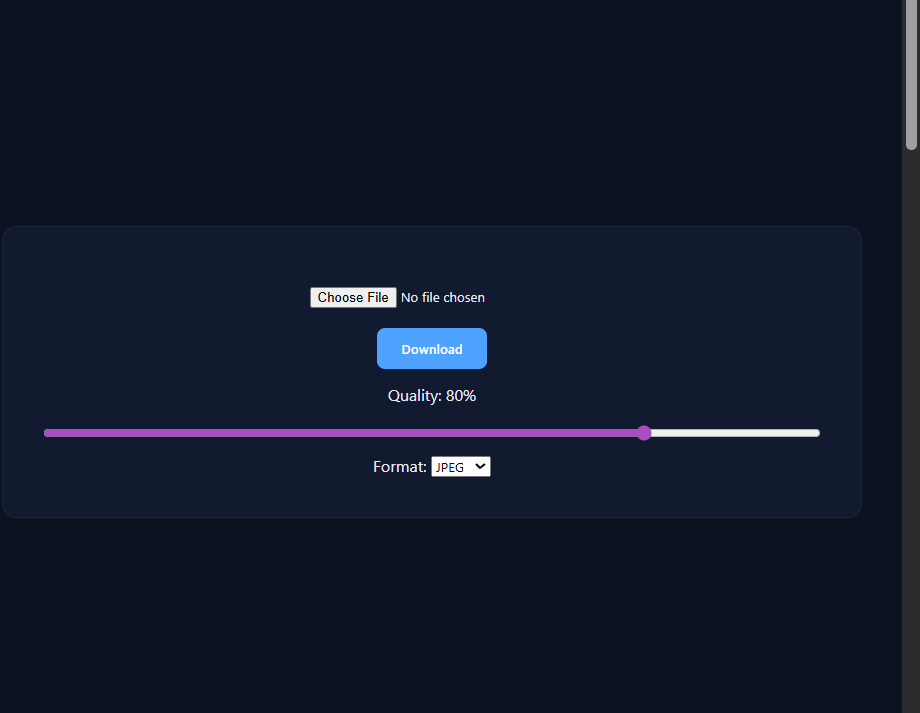
Many tools and plugins are available to help you compress images quickly and easily. Try our free image compressor to reduce file sizes without sacrificing quality.
3. Resize Images
Using images that are larger than necessary can slow down your site. Always resize images to match the dimensions they’ll be displayed at on your website. For example, if your website’s layout requires images to be 800px wide, don’t upload a 2000px-wide image. Resizing images can significantly reduce their file size.
Need help resizing images? Check out our free image resizer tool to quickly adjust dimensions.
4. Use Responsive Images
Responsive images ensure that your website delivers the right image size for each user’s device. This can be achieved using the srcset attribute in HTML, which allows browsers to choose the most appropriate image based on the user’s screen size. Responsive images not only improve web performance but also enhance the user experience.
5. Leverage Lazy Loading
Lazy loading is a technique that delays the loading of images until they’re needed (e.g., when a user scrolls down the page). This reduces the initial load time of your website and improves overall performance. Many modern CMS platforms and plugins support lazy loading out of the box.
6. Use a Content Delivery Network (CDN)
A CDN stores your images on multiple servers around the world, ensuring faster delivery to users regardless of their location. By serving images from a server closer to the user, you can reduce latency and improve load times.
Best Practices for Image Optimization
To get the most out of your image optimization efforts, follow these best practices:
- Always optimize before uploading: Compress and resize images before adding them to your website.
- Test your website’s performance: Use tools like Google PageSpeed Insights to identify unoptimized images and other performance issues.
- Regularly update your images: As web standards evolve, revisit your images to ensure they’re optimized using the latest techniques and formats.
Conclusion
Optimizing images for the web is a crucial step in improving your site’s performance and user experience. By choosing the right file format, compressing and resizing images, and implementing techniques like lazy loading and CDNs, you can significantly reduce load times and keep your visitors engaged. Remember, even small improvements in image optimization can make a big difference.
Ready to optimize your images? Try our free image resizer and compressor today to get started!